
Personalize Your Happy Planner or Erin Condren Planner with HappyCOVERGIRLCo Custom Covers
- Crystal Mills
- Nov 24, 2025
- 4 min read
Updated: Jan 5
Hey there, planner lovers! 🌟 If you’re anything like me, your planner isn’t just a tool—it’s a reflection of your personality, your dreams, and your daily hustle. So why settle for a boring, generic cover when you can design unique planner covers that scream YOU? Today, I’m diving into the wonderful world of custom planner covers and sharing all the juicy details on how to make your planner pop with personality. Ready to jazz up your planning game? Let’s go!
Why Design Unique Planner Covers? Because Your Happy Planner Deserves It!
Okay, let’s get real for a second. Your Happy Planner is your sidekick, your confidant, and your daily motivator. It’s where you jot down your goals, track your habits, and dream big. So, having a cover that inspires you every time you pick it up? That’s a total game-changer.
When you design unique planner covers, you’re not just slapping on a pretty picture. You’re creating a vibe, a mood, a little burst of joy that makes planning feel less like a chore and more like a treat. Plus, it’s a fantastic way to stand out in a sea of plain notebooks. Whether you want something sleek and minimalist or bold and artsy, the cover sets the tone for your entire planning experience.
Here’s why I’m obsessed with custom covers:
Express your style: From floral prints to geometric patterns, your cover can be as unique as your fingerprint.
Boost motivation: A cover that makes you smile? Instant mood lift every time you open your planner.
Protect your planner: Durable covers keep your pages safe from spills, scratches, and everyday wear and tear.
Make it personal: Add your name, favorite quotes, or even your pet’s paw print!
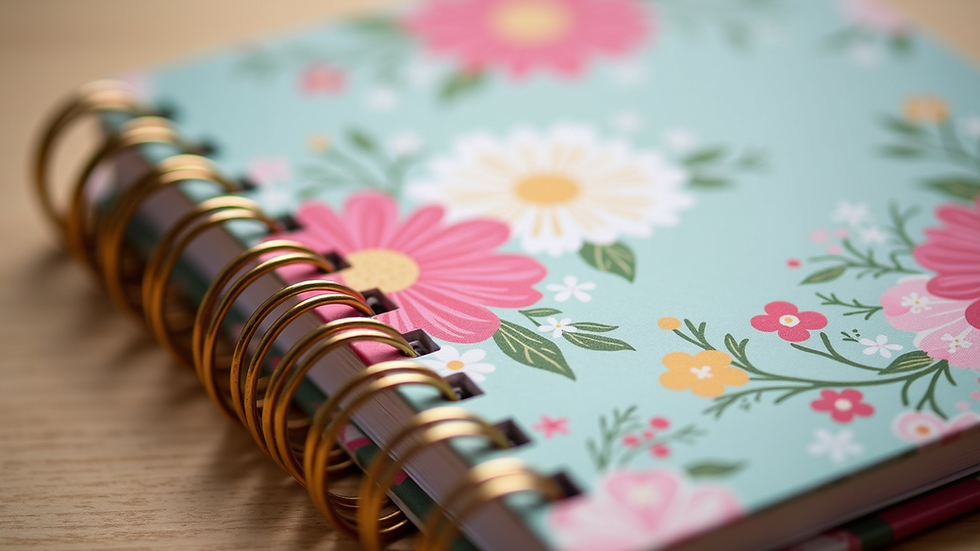
How to Design Unique Planner Covers That Reflect Your Personality
Alright, now that you’re pumped about the idea, let’s talk about how to actually create your dream cover. Designing unique planner covers is easier than you think, and you don’t need to be a graphic designer to do it!
Step 1: Choose Your Theme
Start by thinking about what inspires you. Are you a nature lover? Maybe a botanical theme with leaves and flowers is your vibe. Into bold colors and patterns? Go for geometric shapes or abstract art. Or perhaps you want something minimalist with clean lines and soft pastels.
Step 2: Pick Your Materials
Do you want a glossy finish that shines or a matte cover that feels soft to the touch? Maybe you prefer a leather-look cover for that classic feel or a fabric cover for a cozy touch. The material can totally change the look and feel of your planner.
Step 3: Add Personal Touches
This is where the magic happens! Add your name, initials, or a favorite quote. You can even include photos or illustrations that mean something special to you. If you’re feeling crafty, try adding stickers, washi tape, or even some hand-drawn doodles.
Step 4: Use Digital Tools or Handmade Techniques
If you’re tech-savvy, there are tons of apps and websites that let you design covers digitally. You can play with fonts, colors, and layouts until it’s just right. Prefer the hands-on approach? Grab some art supplies and create a cover by hand, then scan or photograph it to print.
Step 5: Print and Protect
Once your design is ready, print it on high-quality paper or cardstock. Slip it into a clear cover or laminate it for durability. Voila! You’ve got a one-of-a-kind planner cover that’s all yours.

Where to Find the Best Custom Planner Covers
If you want to skip the DIY and jump straight to fabulous, there are some amazing shops out there that specialize in custom planner covers. One of my absolute favorites is HappyCOVERGIRLCo. They offer a stunning range of custom planner covers that you can personalize to your heart’s content.
Why do I love HappyCOVERGIRLCo? Because they get it. They know planner enthusiasts want quality, creativity, and versatility. Their covers are not only gorgeous but also durable and functional. Plus, they keep adding new designs all the time, so there’s always something fresh to discover.
Here’s what you can expect from a great custom cover shop:
Variety: From whimsical florals to sleek modern designs.
Customization options: Add your name, choose colors, and pick your size.
High-quality materials: Thick, sturdy covers that last all year long.
Digital downloads: For those who love to print their own covers at home.
Tips for Caring for Your Custom Planner Covers
You’ve got your beautiful new cover—now let’s keep it looking fabulous! Taking care of your planner cover is super simple but makes a huge difference in how long it lasts.
Keep it clean: Wipe down your cover with a soft, damp cloth to remove dust and dirt.
Avoid spills: Try to keep drinks and food away from your planner to prevent stains.
Store properly: When not in use, keep your planner in a bag or on a shelf where it won’t get crushed.
Handle with care: Open and close your planner gently to avoid bending or creasing the cover.
A little TLC goes a long way in keeping your planner looking fresh and inspiring.
Let Your Planner Cover Tell Your Story
At the end of the day, your planner cover is more than just a pretty face. It’s a little piece of your story, a daily reminder of who you are and what you’re working toward. Whether you’re jotting down appointments, brainstorming ideas, or tracking your goals, a cover that feels personal and inspiring can make all the difference.
So go ahead—get creative, have fun, and make your planner truly yours. And if you want to explore some amazing options, don’t forget to check out HappyCOVERGIRLCo for some seriously stunning custom planner covers. Your planner deserves to shine as bright as you do! ✨
Happy planning, friends! 🎉


Comments